
Managing account reconciliations efficiently is critical to achieving a faster, more accurate, and controlled financial close. However, manual data entry, disconnected systems, currency conversion requirements, and limited control over user access can create unnecessary complexity for finance teams. Oracle Account Reconciliation Cloud Service (ARCS) addresses these challenges with capabilities that automate routine activities, simplify data management, and strengthen visibility and security across reconciliation processes. From Excel-based Smart View integration and automated transaction loading to currency translation and centralized security controls, this article explores five key Oracle ARCS features that can help organizations improve reconciliation efficiency and streamline financial operations.
1. Oracle ARCS Smart View
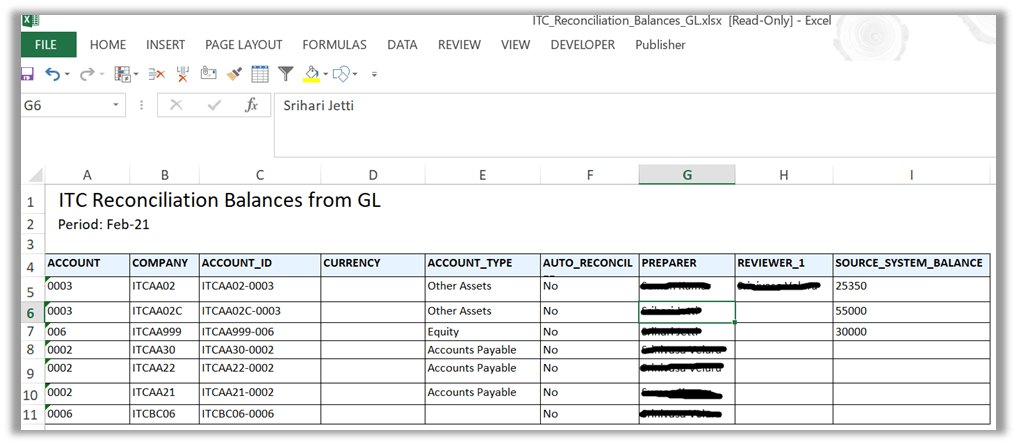
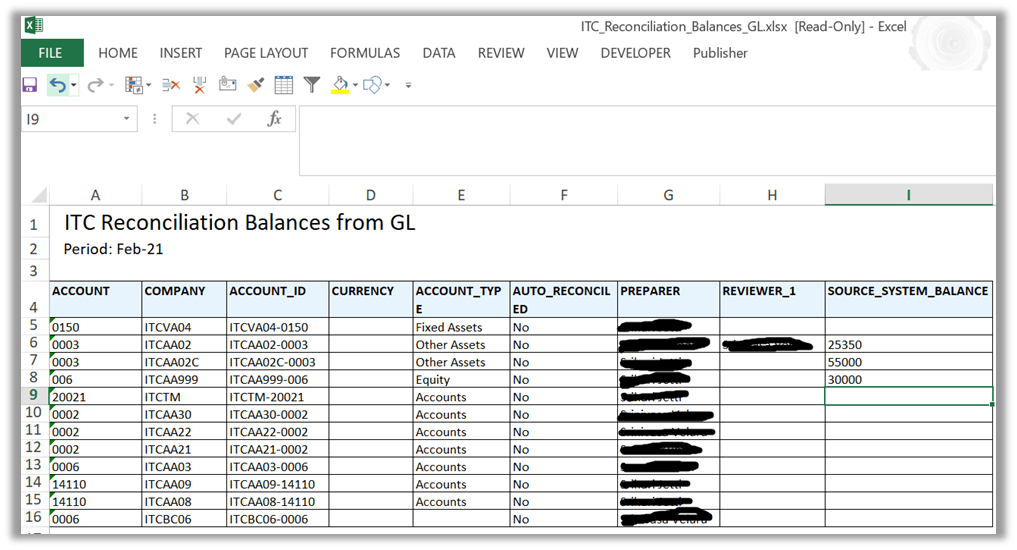
For Account Analysis type of reconciliations, the user can explain the ending balance with summary line items for quick analysis and understanding (e.g. Prepaid Accounts, Cash Balance). In the existing version, the user can manually add the entries or use export and import the entries from a CSV file.
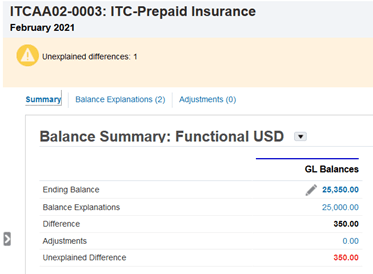
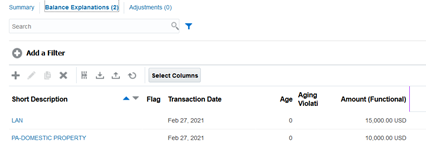
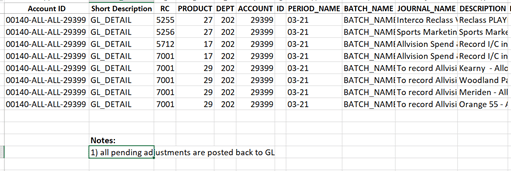
Oracle Smart View is an Excel-based plugin which is available from the ARCS Release 21.05 in May 2021. It can be used for:
- Importing Balance Explanations
- Variance Explanations
- Adjustments
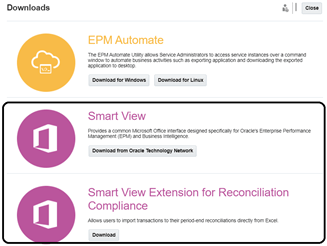
Users can download Smart View, connect to ARCS, and start using it. This doesn’t require any additional configuration.
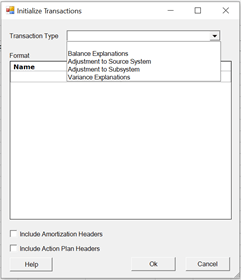
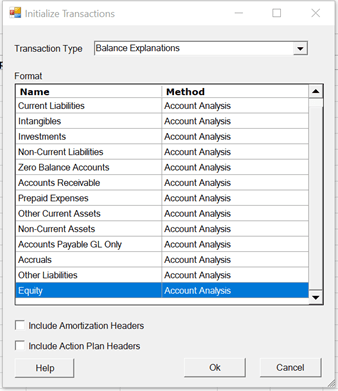

Add Transactions and then import.

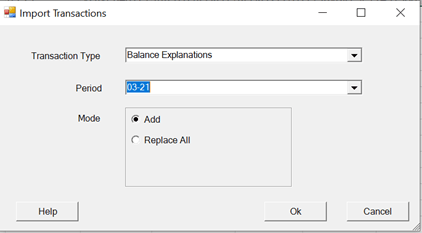
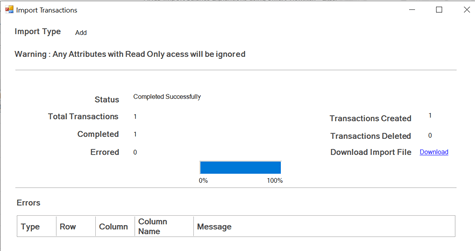
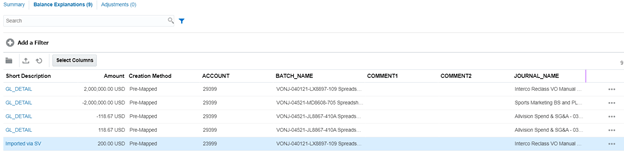
Business Benefits of Smart View
- Interacting with ARCS from Smart View is more flexible for users to quickly add their entries
- Functionally supports having additional notes maintained in Smart View Template but not necessary to upload to ARCS
2. Data Management to Load Reconciliation Compliance
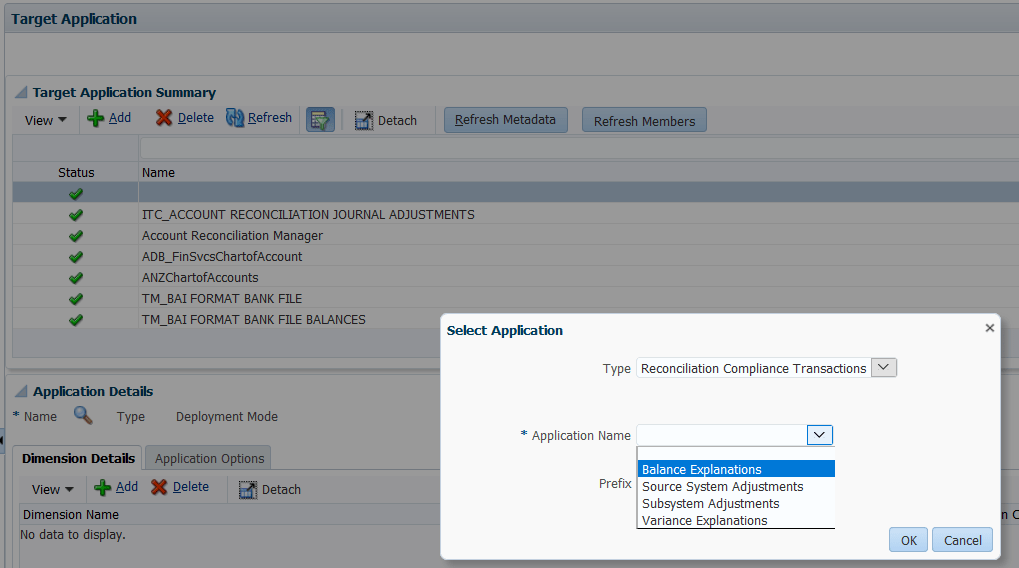
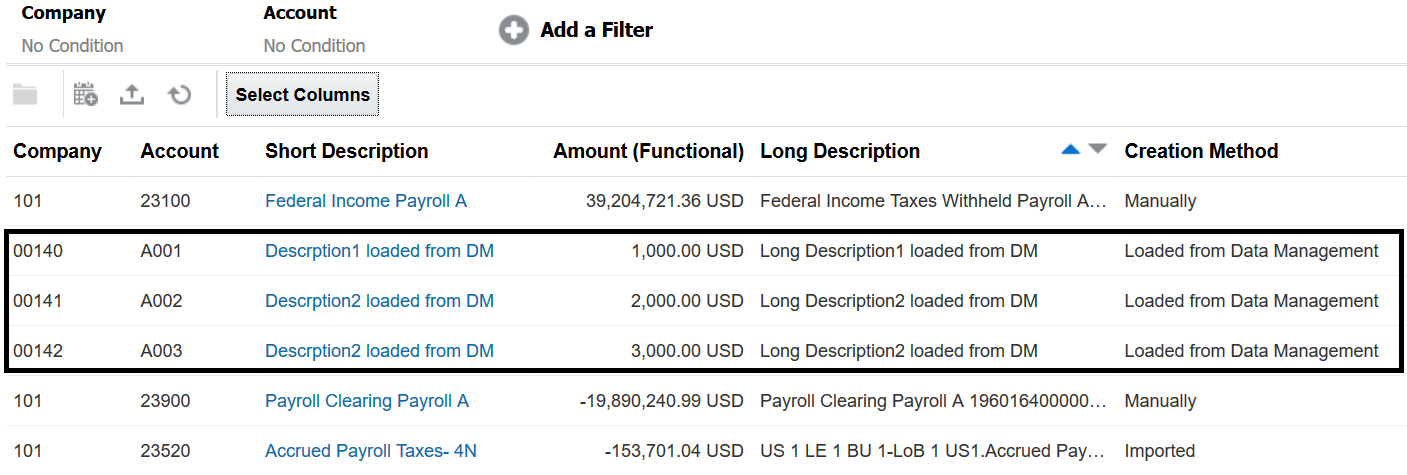
Oracle EPM Cloud Data Management is now offered with the ability to load Reconciliation Compliance Transactions (Balance Explanations, Source System Adjustments, Sub System Adjustments, and Variance Explanations). Starting from version 21.07, we can create a new target application for Reconciliation Compliance to map and load transactions automatically. Users can still enter manual entries on top of it as the system does not clear the manual entries made by the user.
Business Benefits of ARCS Data Management
- When customers need detailed activity to be loaded as Balance explanations from ERP, the option now facilitates an end-to-end process.
- For on premise ERP systems, EPM Agent can be used to pull activity via Data Management without a need for a source file
3. ARCS Currency Translation
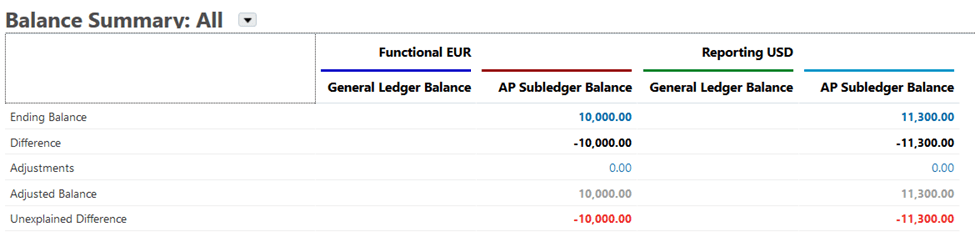
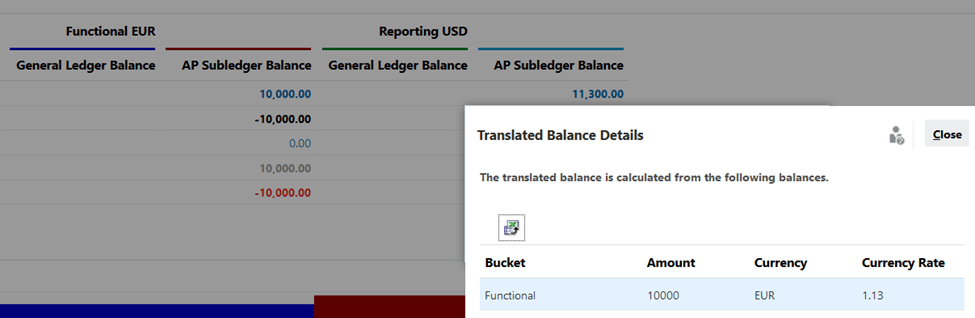
Oracle ARCS has released a new feature in version 22.02 to automatically translate such balances to another currency. You can translate balances of Entered Currency to Functional and Reporting or Functional Currency to Reporting. Oracle ARCS would use available source balances and exchange rates to automatically compute and load balances into the currencies needed (Functional / Reporting). This will greatly help customers to avoid manual effort to compute the balances and Oracle ARCS will display the rate applied on every balance that users can validate.
For example, accounts payable from a third party subledger called TRIRIGA maintains only EUR balances. With the new functionality, we can automatically translate the Functional Currency balances in EUR from TRIRIGA to Reporting Currency in USD.
Business Benefits of ARCS Currency Translation
- Avoid the manual effort required to compute balances from one currency to other
- Get instant visibility into the exchange rate applied to translate the balance
Common Use Cases
- One or more subledger balances are managed by a third-party software with only Functional Currency.
- Different third-party source systems for GL ending balances for different countries with their own Functional Currency and no Reporting Currency balances in their GL
4. Centralized Email Notification Policies
Account reconciliation in Oracle EPM Cloud now enables administrators to configure email notification policies that work the same for every user. This standardizes the notification settings across all users and the start and end timings of notifications work as per the user’s time zone.
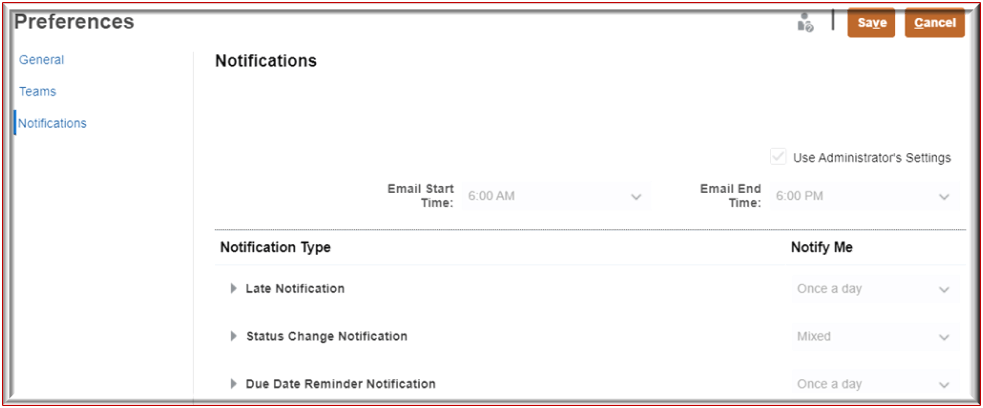
The administrator can disable other users from modifying the notification preferences and inherit the preset configuration preferences for all users.
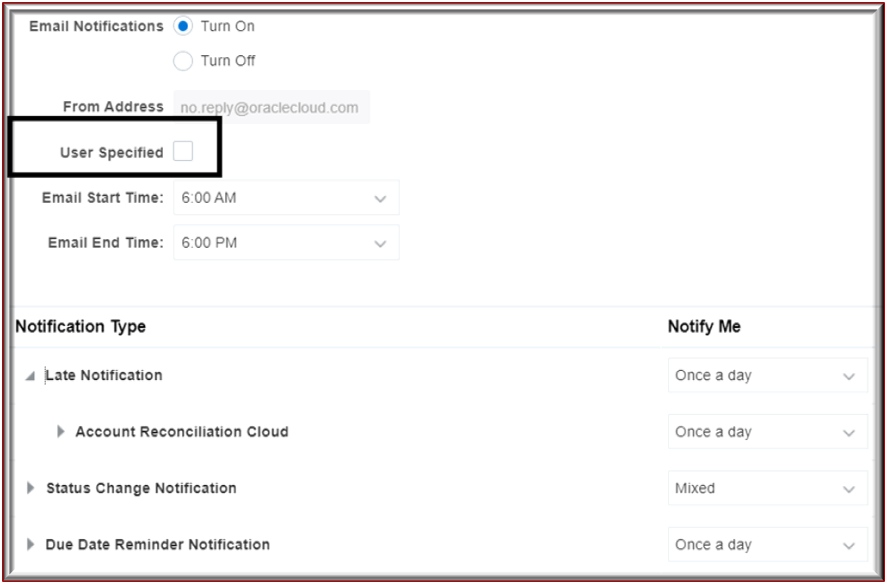
Users cannot change the notification policies set by the administrator.
Business Benefits
- It results in standardized and centralized notification policies
- Enable timely notifications to all users across the globe
- Administrators have better control over email notification policies so notifications are enabled for every user
5. User Security for Custom Reports
Oracle has released a new feature in version 22.03 of ARCS to apply a security filter that allows users running the report to only see the details of reconciliations to which they are granted access. Oracle’s documentation mentions that this feature is for Transaction Matching but this is tested and working for both Reconciliation Compliance (RC) and Transaction Matching (TM). Customers can also apply this functionality to any existing reports without having to rebuild the reports.
Reconciliation Compliance Report – User

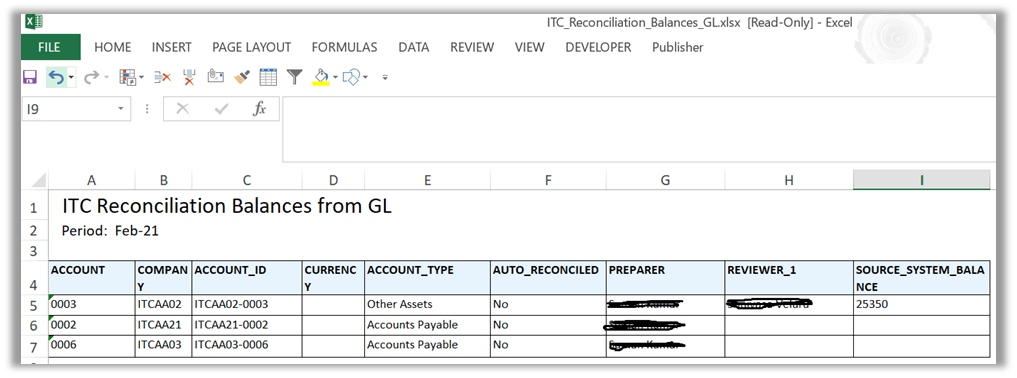
Reconciliation Compliance Report – Power User
Reconciliation Compliance Report – Service Administrator
This feature allows businesses to restrict user access only to the data that they are permitted to access while running reconciliation reports
Common Use Cases
- Oracle ARCS Reports must display the data only from reconciliations where users have workflow access, or view access, or access to profiles, with the power user security filter
- Limit the output of the reports based on user access so that users can quickly utilize the reports for their analysis
6. Alerts in Oracle ARCS
Oracle Account Reconciliation Cloud (ARCS) has introduced new functionality in October 2020 called “Alerts” to facilitate a better way of tracking communication and resolving roadblocks during the reconciliation.
Alerts include instructions, questions, attributes, workflows, and have their own templates

Centralized management of alerts for administrators through a new Alerts List are available through a new card on Account Reconciliation Home

Automatic creation of alerts through the use of rules that get triggered based on meeting certain conditions

Oracle ARCS users can access the alert by visiting the URL provided in the email

External users can reply to the owner of the alert via email, and the owner can track it in Oracle ARCS


Business Benefits
These features provide users with a way to find help during the business cycle and close reconciliations faster. A few common use cases include:
- The Preparer can request another colleague to post an adjustment back to the ERP system if they are going on vacation. The adjustment is found during reconciliation and is made in ARCS but pending for ERP.
- The Preparer can find a missing transaction for which the user is raising an exception in Accounts Receivable or Payable and send an alert to the PO user to address it.
- An automated alert is created when the Age of Adjustment created in ARCS exceeds 60 days. This means that the adjustment in the ERP is still open and not addressed.
- An Automated Alert is sent to Internal Auditors asking them to perform an audit for high-risk accounts when $ balance is > 5 M USD.
- The Preparer might need additional information before submitting the reconciliation regarding a particular transaction of a specific account.
- Notify or request information from external users (suppliers, bank, etc.) by sending them alerts via email, while the Preparer keeps himself the assignee to record responses and close the alert.